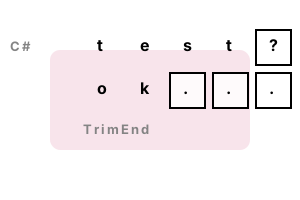
TrimEnd, TrimStart. In C# TrimEnd removes ending characters from a string. Suppose we have a string with trailing punctuation. We can use TrimEnd to remove these characters.
Meanwhile, TrimStart removes from the start of a string. These methods are useful, and their effects are simple—they return copied strings.
TrimEnd. This program loops through an array and trims it sending characters with TrimEnd. We use a string array. The results are printed to the screen.
Note The string array "items" here is used to show the results of TrimEnd. The TrimEnd method itself receives chars, not strings.
Start The example creates a string array. Each string in the array is looped over with the foreach-loop.
Then TrimEnd is called. It removes the question mark, period and comma from the string.
using System;
// Our example string array.
string[] items = new string[]
{
"test?",
"ok..."
};
// Loop and call TrimEnd.
foreach (string item in items)
{
string trimmed = item.TrimEnd('?', '.', ',');
Console.WriteLine(item);
Console.WriteLine(trimmed);
}test?
test
ok...
ok
TrimStart. TrimStart removes leading characters. Sometimes strings have starting characters that are not needed. TrimStart removes as many characters of the specific values as required.
Note We must provide a parameter to TrimStart, which contains the characters you want to Trim.
Tip The characters can be anything. We do not need to use whitespace characters.
using System;
// Trim this string.
string text = "\t, again and again.";
// Trim these characters.
char[] array = new char[] { '\t', ',', ' ' };
text = text.TrimStart(array);
Console.WriteLine(text);again and again.
Benchmark, trimming. Custom implementations of TrimEnd are faster than the version included in .NET. You can use a for-loop from the last index of the string.
Tip This could be a useful trick if you have a lot of trimming to do in an important program.
using System;
using System.Diagnostics;
class Program
{
static string TrimTrailingChars(string value)
{
int removeLength = 0;
for (int i = value.Length - 1; i >= 0; i--)
{
char let = value[i];
if (let == '?' || let == '!' || let == '.')
{
removeLength++;
}
else
{
break;
}
}
if (removeLength > 0)
{
return value.Substring(0, value.Length - removeLength);
}
return value;
}
const int _max = 10000000;
static void Main()
{
var paramArray = new char[] { '?', '!', '.' };
var s1 = Stopwatch.StartNew();
// Version 1: use optimized method.
for (int i = 0; i < _max; i++)
{
var result = TrimTrailingChars("hello!?");
if (result == null)
{
return;
}
}
s1.Stop();
var s2 = Stopwatch.StartNew();
// Version 2: use TrimEnd.
for (int i = 0; i < _max; i++)
{
var result = "hello!?".TrimEnd(paramArray);
if (result == null)
{
return;
}
}
s2.Stop();
Console.WriteLine(((double)(s1.Elapsed.TotalMilliseconds * 1000000) / _max).ToString("0.00 ns"));
Console.WriteLine(((double)(s2.Elapsed.TotalMilliseconds * 1000000) / _max).ToString("0.00 ns"));
}
}13.54 ns Optimized method
15.85 ns TrimEnd
A summary. TrimEnd and TrimStart can be used with array parameters. They remove chars from the end and start of strings. They remove all characters specified until they can't remove one.
Dot Net Perls is a collection of tested code examples. Pages are continually updated to stay current, with code correctness a top priority.
Sam Allen is passionate about computer languages. In the past, his work has been recommended by Apple and Microsoft and he has studied computers at a selective university in the United States.
This page was last updated on Apr 13, 2023 (simplify).