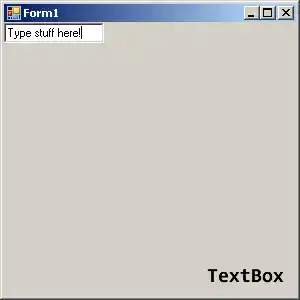
TextBox.AppendText. TextBox provides the C# AppendText method. This method appends lines of text. With it we have to deal with newlines and avoid extra line breaks.
Append issues. If we append newlines on each line, there will be an extra blank line at the end of our multiline TextBox. This can be avoided with some custom logic.
AppendText example. We can append text to a TextBox with the method AppendText. But this call will not append a newline to the end—all the text will run together.
So When you call textBox1.AppendText("text") two times, the text will be on the same line.
private void Test()
{
for (int i = 0; i < 2; i++)
{
textBox1.AppendText("Some text");
}
}Some textSome text
Line example. We can append lines by using Environment.NewLine and then adding some conditional logic. Unline AppendLine, this does not add extra newlines.
Tip The Environment type offers the string value that represents a newline. It equals \r\n.
public partial class Form1 : Form
{
private void AppendTextBoxLine(string myStr)
{
if (textBox1.Text.Length > 0)
{
textBox1.AppendText(Environment.NewLine);
}
textBox1.AppendText(myStr);
}
private void TestMethod()
{
for (int i = 0; i < 2; i++)
{
AppendTextBoxLine("Some text");
}
}
}Some text
Some text
Example 3. If we do not check the length of the Text in the TextBox, we will have unwanted line breaks. But Sometimes we may prefer to always append newlines.
public partial class Browser : Form
{
private void Test()
{
// Will leave a blank line on the end.
for (int i = 0; i < 2; i++)
{
textBox1.AppendText("Some text" + Environment.NewLine);
}
// Will leave a blank line on the start.
for (int i = 0; i < 2; i++)
{
textBox1.AppendText(Environment.NewLine + "Some text");
}
}
}
Discussion. These 2 tables demonstrate what the TextBox contents will look like when there is a newline on the end always, and when there is a newline on the start.
Note This problem can be avoided using the method with the conditional check—this will prevent the empty line on the end.
Also Another concept that is useful for when you want to add strings to your TextBox is appending the strings themselves.
[Some text
Some text
][Some text
Some text]
Summary. We appended lines to a TextBox with methods written in C#. These methods work well with events like TextChanged, which together can enhance the usability of the form.
Dot Net Perls is a collection of tested code examples. Pages are continually updated to stay current, with code correctness a top priority.
Sam Allen is passionate about computer languages. In the past, his work has been recommended by Apple and Microsoft and he has studied computers at a selective university in the United States.
This page was last updated on Sep 27, 2022 (edit).