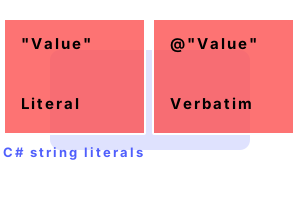
String literals. These are for constant string data in C# programs. String data is created in different ways. We use literals as arguments to methods, or anywhere a string is needed.
With a string literal, characters are stored directly inside the metadata. Fewer indirections (which reduces performance) are needed.
Example program. Here the class-level string literals are represented as static or const references. The method-level ones are treated separately in the metadata.
Info Newlines are specified with either "\r\n" or just "\n." And tabs are specified with "\t."
Next For quotes, we often use a backslash, but for a verbatim literal, we use two quotes to mean a quote.
Here Four of the string literals are prefixed with the "at" symbol. This is the verbatim string literal syntax.
Tip The C# compiler allows you to use real newlines in verbatim literals. You must encode quotation marks with double quotes.
Raw string literals. It is also possible to use 3 quotes to start (or end) a raw string literal. This contains the inner characters exactly, but with left-side indentation removed.
using System;
class Program
{
static void Main()
{
string text = """
Hello friend,
How are you?
""";
Console.WriteLine(text);
}
}Hello friend,
How are you?
Concat. Concatenating string variables is done at runtime. But if a string variable is constant, the compiler will generate intermediate language with the concatenations removed.
Next This program appears to concatenate 3 strings. When compiled the IL shows that only one string is used.
using System;
class Program
{
static void Main()
{
const string a = "Dot ";
const string b = "Net ";
const string c = "Perls";
Console.WriteLine(a + b + c);
}
}Dot Net Perls.method private hidebysig static void Main() cil managed
{
.entrypoint
// Code size 11 (0xb)
.maxstack 8
IL_0000: ldstr "Dot Net Perls"
IL_0005: call void [mscorlib]System.Console::WriteLine(string)
IL_000a: ret
} // end of method Program::Main
Performance note. Before the string literals ever reach the metadata or the intermediate language instructions, the C# compiler applies an optimization called constant folding.
Here String literal constants are separated and shared. Applying constant folding manually is not required for performance.
Detail If you use a certain string literal in many places in a program, it is stored only once in the user strings stream.
Thus We see the compiler technique of constant folding applied to string literals in C# programs.
A summary. String literals are specified with the string verbatim syntax. We use the backslash to escape certain sequences. String literals are constant—they cannot be changed.
Dot Net Perls is a collection of tested code examples. Pages are continually updated to stay current, with code correctness a top priority.
Sam Allen is passionate about computer languages. In the past, his work has been recommended by Apple and Microsoft and he has studied computers at a selective university in the United States.
This page was last updated on Dec 22, 2023 (edit).