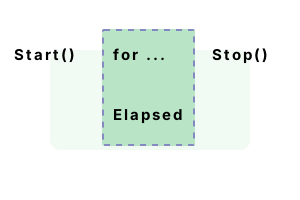
Stopwatch. This VB.NET type measures execution times. It is excellent for timing loads off of networks, measuring methods in benchmarks, and even measuring reaction times.
Some type info. To create an instance of Stopwatch, use the Stopwatch.StartNew function. We can then call methods on the Stopwatch instance to use it.
An example. To start, we use Stopwatch.StartNew. An alternative is to use the Stopwatch constructor and then the Start function. Here we time a loop that takes about one second.
Then We stop timing and run the same loop again. Next we start timing and run the loop a third time.
And We call Stop and then display the time elapsed by accessing Elapsed.TotalMilliseconds.
Tip This represents the time in total number of milliseconds. It contains a fractional part.
Module Module1
Sub Main()
' Create new Stopwatch instance.
Dim watch As Stopwatch = Stopwatch.StartNew()
' Measure.
For i As Integer = 0 To 1000 - 1
Threading.Thread.Sleep(1)
Next
' Stop measuring.
watch.Stop()
' This isn't measured.
For i As Integer = 0 To 1000 - 1
Threading.Thread.Sleep(1)
Next
' Begin measuring again.
watch.Start()
' Measure.
For i As Integer = 0 To 1000 - 1
Threading.Thread.Sleep(1)
Next
' Stop measuring again (not always needed).
watch.Stop()
Console.WriteLine(watch.Elapsed.TotalMilliseconds)
End Sub
End Module2011.6659
Notes, time. Why is the total time required to execute two loops of 1000 1-millisecond Sleep calls more than 2000 milliseconds? The Sleep method has some margin of error.
So Sleep() does not sleep an exact number of milliseconds. You can see that only two of the three 1-second loops were timed by the result.
Discussion. The Stopwatch type is extremely useful for learning more about .NET. With Stopwatch, you can acquire an understanding of the relative times for certain statements to execute.
Tip This can yield significant performance improvements as you build your knowledge.
And I recommend doing some level of benchmarking as you develop programs, at least when you are new to .NET.
But There is usually no reason to benchmark everything. Use your own time wisely as well.
Summary. We used the StartNew function on the Stopwatch type, as well as the Start and Stop subroutines and the Elapsed property. We provided an overview of benchmarking and why it is important.
Dot Net Perls is a collection of tested code examples. Pages are continually updated to stay current, with code correctness a top priority.
Sam Allen is passionate about computer languages. In the past, his work has been recommended by Apple and Microsoft and he has studied computers at a selective university in the United States.
This page was last updated on May 13, 2022 (image).