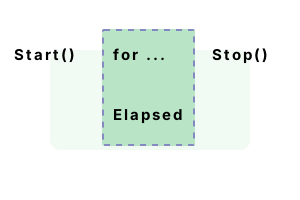
Stopwatch. This .NET type measures time elapsed. It is useful for benchmarks in code optimization. And it can perform routine performance monitoring.
Type info. Stopwatch, found in System.Diagnostics, is useful in many programs. It provides accurate measurement of time elapsed, and helps with benchmarking.
New example. Stopwatch is ideal for timing any operation. The code includes the "System.Diagnostics" namespace at the top. This is where the Stopwatch class is defined.
Start This method tells the Stopwatch to store the current time. It queries the OS to find the current tick count of the system.
Next We call Stop on the instance Stopwatch. This tells the Stopwatch to capture the current tick count of the system.
Detail The Elapsed property on Stopwatch is a TimeSpan struct, which overrides the ToString method.
using System;
using System.Diagnostics;
using System.Threading;
// Create new stopwatch.
Stopwatch stopwatch = new Stopwatch();
// Begin timing.
stopwatch.Start();
// Do something.
for (int i = 0; i < 1000; i++)
{
Thread.Sleep(1);
}
// Stop timing.
stopwatch.Stop();
// Write result.
Console.WriteLine("Time elapsed: {0}", stopwatch.Elapsed);Time elapsed: 00:00:01.0001477
Hours, minutes, seconds. Stopwatch can handle short timings of only a few milliseconds. For longer timings, we want to display hours, minutes and seconds. Nanoseconds aren't important here.
Info We use Elapsed with a format string. We must escape the ":" characters in the format string. We use hh, mm and ss.
using System;
using System.Diagnostics;
class Program
{
static void Main()
{
Stopwatch stopwatch = new Stopwatch();
stopwatch.Start();
// ... This takes 10 seconds to finish.
for (int i = 0; i < 1000; i++)
{
System.Threading.Thread.Sleep(10);
}
// Stop.
stopwatch.Stop();
// Write hours, minutes and seconds.
Console.WriteLine("Time elapsed: {0:hh\\:mm\\:ss}", stopwatch.Elapsed);
}
}Time elapsed: 00:00:10
StartNew. For benchmarks or diagnostics code, you probably will prefer the StartNew method. This uses a creational design pattern to return a new instance from a static type method.
Info This method is called to create a new instance of Stopwatch. We show the var syntax, which is a shorthand for the type declaration.
class Program
{
static void Main()
{
// Create new stopwatch.
var stopwatch = System.Diagnostics.Stopwatch.StartNew();
// Do something (omitted).// Stop timing.
stopwatch.Stop();
// Write the results (omitted).
}
}
ElapsedTicks. This is internally a readonly signed System.Int64 value. When you capture ElapsedTicks, you have to manually do the calculations to convert the values to seconds.
Here The example code first creates a new Stopwatch with StartNew, and then captures the ElapsedTicks long property twice.
Detail The values are printed to the screen. The Console.WriteLine here was the most expensive operation. It took 7081 ticks.
Note The ElapsedTicks value from Stopwatch is not normally the same as the DateTime.Ticks value.
Note 2 Stopwatch ticks are far more accurate when the IsHighResolution property is true. Otherwise, they are equivalent.
using System;
using System.Diagnostics;
class Program
{
static void Main()
{
// Create a new Stopwatch.
var stopwatch = Stopwatch.StartNew();
// Capture the elapsed ticks and write them to the console.
long ticks1 = stopwatch.ElapsedTicks;
Console.WriteLine(ticks1);
// Capture the ticks again.// ... This will be a larger value.
long ticks2 = stopwatch.ElapsedTicks;
Console.WriteLine(ticks2);
}
}11
7092
Restart, Reset. Restart() sets the timer information to zero. It then calls Start again on the Stopwatch, so you can time further statements. This is like calling Reset and Start.
Detail Reset, meanwhile, only sets the timer information to zero. It does not call Start on the Stopwatch.
So After Reset, we need to explicitly call Start. In this program, try replacing Restart with Reset.
using System;
using System.Diagnostics;
using System.Threading;
class Program
{
static void Main()
{
Stopwatch stop = Stopwatch.StartNew();
Thread.Sleep(1000);
stop.Restart();
Thread.Sleep(1000);
Console.WriteLine(stop.ElapsedMilliseconds);
}
}1000
Performance. Stopwatch usage has a performance impact. The Stopwatch class is slower than many operations. This applies when you are using Stopwatch for routine monitoring.
Result Using a Stopwatch is more expensive than simple operations in .NET. Stopwatch itself can become a performance problem.
Info For context, simple additions and multiplications require only a couple nanoseconds on most systems.
using System;
using System.Diagnostics;
class Program
{
const int _max = 1000000;
static void Main()
{
var s1 = Stopwatch.StartNew();
for (int i = 0; i < _max; i++)
{
var sw = Stopwatch.StartNew();
sw = null;
}
s1.Stop();
Console.WriteLine(((double)(s1.Elapsed.TotalMilliseconds * 1000000) / _max).ToString("0.00 ns"));
}
}600.64 ns
Properties. Stopwatch has some static properties and fields, including Frequency and IsHighResolution. These determine the configuration of Stopwatch, which depends on the system.
Info Frequency returns the number of ticks the Stopwatch uses per second. It is used to convert ElapsedTicks to a figure in seconds.
And IsHighResolution tells whether the Stopwatch is using high resolution timing.
IsRunning. This is only useful if your code uses Stop or Reset in unpredictable ways. For most micro-benchmarks, it is not necessary. Using the simplest logic for Stopwatch is best.
A summary. Stopwatch is a useful class for performing diagnostics or benchmarks. Simple and powerful, it can lead to higher quality programs.
Dot Net Perls is a collection of tested code examples. Pages are continually updated to stay current, with code correctness a top priority.
Sam Allen is passionate about computer languages. In the past, his work has been recommended by Apple and Microsoft and he has studied computers at a selective university in the United States.
This page was last updated on Feb 23, 2023 (edit).