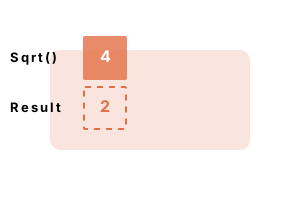
Math.Sqrt. This function takes the square root of a number. With it, you pass one Double value as an argument, and receive the square root of that as another Double.
Function performance. This function requires more time to compute fractional square roots. We can use caching to speed up square roots.
This program takes the square roots of 4 Doubles and prints them with Console.WriteLine. We can see that the square root of 1 is 1, and the square root of four is two.
Module Module1
Sub Main()
Dim result1 As Double = Math.Sqrt(1)
Dim result2 As Double = Math.Sqrt(2)
Dim result3 As Double = Math.Sqrt(3)
Dim result4 As Double = Math.Sqrt(4)
Console.WriteLine(result1)
Console.WriteLine(result2)
Console.WriteLine(result3)
Console.WriteLine(result4)
End Sub
End Module1
1.4142135623731
1.73205080756888
2
Performance. Let's look into the performance of Math.Sqrt. Some arguments to Math.Sqrt are much faster than others—the performance depends on what arguments are used.
Result Calling Math.Sqrt(4) only takes two nanoseconds, while Math.Sqrt(4.1) takes six nanoseconds.
Module Module1
Sub Main()
Dim m As Integer = 10000000
Dim s1 As Stopwatch = Stopwatch.StartNew
For i As Integer = 0 To m - 1
If Math.Sqrt(4) = 1 Then
Throw New Exception
End If
Next
s1.Stop()
Dim s2 As Stopwatch = Stopwatch.StartNew
For i As Integer = 0 To m - 1
If Math.Sqrt(4.1) = 1 Then
Throw New Exception
End If
Next
s2.Stop()
Dim u As Integer = 1000000
Console.WriteLine(((s1.Elapsed.TotalMilliseconds * u) / m).ToString("0.00 ns"))
Console.WriteLine(((s2.Elapsed.TotalMilliseconds * u) / m).ToString("0.00 ns"))
End Sub
End Module2.61 ns
6.20 ns
A summary. We examined several aspects of Math.Sqrt. And we investigated its performance—its arguments affect the time it requires to compute a result.
Dot Net Perls is a collection of tested code examples. Pages are continually updated to stay current, with code correctness a top priority.
Sam Allen is passionate about computer languages. In the past, his work has been recommended by Apple and Microsoft and he has studied computers at a selective university in the United States.
This page was last updated on Apr 14, 2022 (edit).