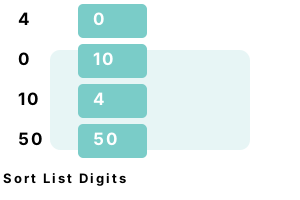
Sort List. Often in C# programs we add up elements to a List, and then later need to sort them. We call Sort. For advanced sorting, we can provide a Comparison lambda expression.
On sorting. Other methods too can sort a List—these include query expressions in the LINQ syntax. We show how to sort List elements on a property with the orderby keyword.
Note For your program, you will want to modify the right-hand part of the lambda inside the Sort method call.
Tip To sort in reverse order, we can compare the second argument "b" to the first "a" instead of the opposite order.
Tip 2 The names "a" and "b" are not important for the lambda. We can use identifiers like "left" and "right" instead.
using System;
using System.Collections.Generic;
List<int> numbers = new List<int>();
numbers.Add(4);
numbers.Add(0);
numbers.Add(10);
numbers.Add(50);
// ... Sort the numbers by their first digit.// We use ToString on each number.// We access the first character of the string and compare that.// This uses a lambda expression.
numbers.Sort((a, b) => (a.ToString()[0].CompareTo(b.ToString()[0])));
Console.WriteLine(":::SORTED BY FIRST DIGIT:::");
foreach (var result in numbers)
{
Console.WriteLine(result);
}:::SORTED BY FIRST DIGIT:::
0
10
4
50
Orderby query. Here we use the LINQ orderby keyword to sort a List by any property. This makes it simple to sort based on string length, or a property value in any object type.
using System;
using System.Collections.Generic;
using System.Linq;
List<string> list = new List<string>();
list.Add("mississippi"); // Longest.
list.Add("indus");
list.Add("danube");
list.Add("nile"); // Shortest.
var lengths = from element in list
orderby element.Length
select element;
foreach (string value in lengths)
{
Console.WriteLine(value);
}nile
indus
danube
mississippi
No lambda. We use Sort() on a List to alphabetize its strings. We can also specify a comparison function, or use the LINQ orderby keyword instead.
Note This program will populate the List with 3 strings, and sort them alphabetically. We can use the same method for integral types.
Important The Sort method does not copy the List and sort the copy. It modifies the existing list.
using System;
using System.Collections.Generic;
List<string> list = new List<string>();
list.Add("tuna");
list.Add("velvetfish");
list.Add("angler");
// Sort fish alphabetically, in ascending order (A - Z)
list.Sort();
foreach (string value in list)
{
Console.WriteLine(value);
}angler
tuna
velvetfish
Reverse. We can combine Sort() with the Reverse extension method to get a reverse-sorted collection. Sort works with all value types and classes that implement the CompareTo method.
Summary. We sorted Lists with the Sort method and LINQ query syntax. The Reverse method can be used to specify that the List be ordered in the opposite way.
Dot Net Perls is a collection of tested code examples. Pages are continually updated to stay current, with code correctness a top priority.
Sam Allen is passionate about computer languages. In the past, his work has been recommended by Apple and Microsoft and he has studied computers at a selective university in the United States.