Hashtable. This VB.NET type performs fast lookups from any key. It returns a previously specified value. It is slower and harder to use than Dictionary, so should be avoided.
Type concepts. Conceptually we add keys and values together. We then search the table instantly or remove elements. The Hashtable is an optimized lookup mechanism.
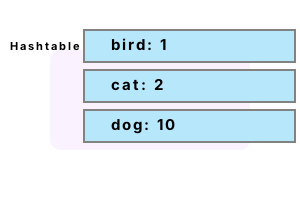
This example allocates a new Hashtable upon the managed heap. It then adds 3 key-value pairs to the data structure. The string "bird" is associated with the integer 1, for example.
Module Module1
Sub Main()
' Create an example Hashtable instance.
Dim table As Hashtable = New Hashtable
table("bird") = 1
table("cat") = 2
table("dog") = 10
' Use For Each loop over the Hashtable.
For Each element As DictionaryEntry In table
Console.WriteLine(element.Key)
Console.WriteLine(element.Value)
Next
End Sub
End Moduledog
10
bird
1
cat
2
Contains. We test functions on the Hashtable that determine the existence of certain keys. We use ContainsKey, Contains, and ContainsValue—each of these returns a Boolean value.
Finally We look up the value associated with the key "Area", which is the Integer 1000.
Module Module1
Function GetHashtable() As Hashtable
Dim table As Hashtable = New Hashtable
table.Add("Area", 1000)
table.Add("Perimeter", 55)
table.Add("Mortgage", 540)
Return table
End Function
Sub Main()
' Create an example Hashtable instance.
Dim table As Hashtable = GetHashtable()
' Test Contains* functions.
Console.WriteLine(table.ContainsKey("Perimeter"))
Console.WriteLine(table.Contains("Area"))
Console.WriteLine(table.ContainsValue(55))
' Look up area.
Dim area As Integer = table("Area")
Console.WriteLine(area)
End Sub
End ModuleTrue
True
True
1000
Get values. Typically, performing lookups on a Hashtable is the most common operation. In this example, we create a new hashtable. We add two key-value pairs to it.
Note One key is of type Integer, and one key is of type String. One value is of type Integer, and one value is of type String as well.
Next We employ the As syntax to assign a type to the values returned from the lookup.
Then We display the results to the screen. If the values returned did not have a matching type, an exception would occur.
Module Module1
Sub Main()
Dim table As Hashtable = New Hashtable
table.Add(300, "Carrot")
table.Add("Area", 1000)
' Get string and integer values.
Dim value1 As String = table(300)
Dim value2 As Integer = table("Area")
' Display values.
Console.WriteLine(value1)
Console.WriteLine(value2)
End Sub
End ModuleCarrot
1000
TypeOf. To check types, we use the TypeOf operator and the Is-operator. After successfully determining the type, you can then use another local variable to cast it and later use it.
Module Module1
Sub Main()
Dim table As Hashtable = New Hashtable
table.Add(100, "Perl")
' Get string and integer values.
Dim value1 = table(100)
' Use TypeOf operator to test type of hashtable value.
If (TypeOf value1 Is String) Then
' Cast.
Dim value As String = value1
Console.WriteLine(value)
End If
End Sub
End ModulePerl
Clear, Count. Often, we want to determine how many key-value pairs are contained in the Hashtable, or erase all the pairs. We use the Count property and the Clear function.
Next In this example, the Hashtable first contains three key-value pairs. We then clear it, and it contains zero pairs.
Module Module1
Sub Main()
Dim table As Hashtable = New Hashtable
table.Add(100, "Perl")
table.Add(200, "Dot")
table.Add(300, "Net")
' Current count.
Console.WriteLine(table.Count)
' Clear.
table.Clear()
' Current count is now zero.
Console.WriteLine(table.Count)
End Sub
End Module3
0
TryCast. This program adds 2 values of different types to a Hashtable. It then uses TryCast to cast the values. So this Hashtable can contain Strings and other Hashtables (nested ones).
Detail If TryCast succeeds, it returns the cast variable. If it fails, it returns Nothing: we can test for this value.
Module Module1
Sub Main()
' Store reference types as values.
Dim table As Hashtable = New Hashtable
table(1) = "One"
table(2) = New Hashtable
' Cast Hashtable values to Hashtables.
Dim value As Hashtable = TryCast(table(1), Hashtable)
Dim value2 As Hashtable = TryCast(table(2), Hashtable)
' Value is Nothing.
If value Is Nothing Then
Console.WriteLine(1)
End If
' Value2 is not Nothing: the cast succeeded.
If Not value2 Is Nothing Then
Console.WriteLine(2)
End If
End Sub
End Module1
2
Performance note. How well does the Hashtable collection perform in benchmarks? Unfortunately, the Hashtable is typically slower than the newer Dictionary type.
Note This is because values must be cast when they are retrieved from the HashTable. Generics eliminate this cost.
Summary. As a fast lookup data structure, Hashtable enables certain search algorithms. Even though it has been replaced by the Dictionary type, Hashtable is still in wide use.
Dot Net Perls is a collection of tested code examples. Pages are continually updated to stay current, with code correctness a top priority.
Sam Allen is passionate about computer languages. In the past, his work has been recommended by Apple and Microsoft and he has studied computers at a selective university in the United States.
This page was last updated on Mar 27, 2022 (image).