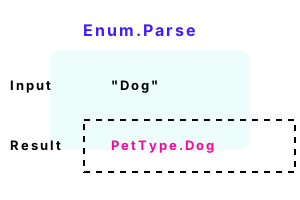
Enum.Parse. This C# method converts strings to enum values. It is useful in programs that accept user input as a string, but store the value internally as an enum.
An enum is a more efficient representation than a string. When we have a choice, an enum is better. Enum.TryParse too is covered.
An example. The Enum.Parse method is a static method in the System namespace, so you will need to include System at the top of your file or use the fully qualified name.
Detail Here we see an enum type "PetType" containing a constant "Dog" with value of 2.
Part 1 We call Enum.Parse. The "typeof PetType" returns the enum type. We cast the result of Enum.Parse to the PetType enum type.
Part 2 At the end, we test the result of the Enum.Parse method. We print a short message if the test succeeds.
using System;
class Program
{
enum PetType
{
None,
Cat = 1,
Dog = 2
}
static void Main()
{
string value = "Dog";
// Part 1: try to convert the string to an enum.
PetType pet = (PetType)Enum.Parse(typeof(PetType), value);
// Part 2: see if the conversion succeeded.
if (pet == PetType.Dog)
{
Console.WriteLine("Equals dog.");
}
}
}Equals dog.
Generic method. A generic method receives a type parameter, and with the Enum.Parse generic method, we can avoid casting the result. This is a better method to call—it is safer.
using System;
class Program
{
enum PetType
{
None, Cat, Dog
}
static void Main()
{
string value = "Cat";
// Use generic Parse method.
PetType pet = Enum.Parse<PetType>(value);
Console.WriteLine(pet);
}
}Cat
Exceptions. An exception may be raised when parsing enums. When the contents of the string you try to parse is not represented in the enum, you must handle the exception.
Detail Please look at the try-catch block. The code catches all errors, which is sufficient for many small applications.
Result The string in the example isn't found in the enum PetType, so the enum variable is set to PetType.None.
using System;
class Program
{
enum PetType
{
None,
Cat = 1,
Dog = 2
}
static void Main()
{
// The enum doesn't contain this value.
string value = "Bat";
// Try to convert the string to an enum.
PetType pet;
try
{
pet = (PetType)Enum.Parse(typeof(PetType), value);
}
catch (Exception ex)
{
// The conversion failed.
Console.WriteLine("FAILED");
Console.WriteLine(ex.Message);
// Set fallback value.
pet = PetType.None;
}
// See if the conversion succeeded.
if (pet == PetType.Dog)
{
}
}
}FAILED
Requested value 'Bat' was not found.
Enum.TryParse. Please notice the names of the enumerated constants. Before calling Enum.TryParse, you can declare a variable of the enum type. You do not need to initialize it.
Then Test the result of Enum.TryParse for true or false. If the method returns true, then the string was successfully parsed.
using System;
enum Importance
{
None,
Low,
Medium,
Critical
}
class Program
{
static void Main()
{
// The input value.
string value = "Medium";
// An uninitialized variable.
Importance importance;
// Call Enum.TryParse method.
if (Enum.TryParse(value, out importance))
{
// We now have an enum type.
Console.WriteLine(importance == Importance.Medium);
}
}
}True
Number quirk. Enum.TryParse will parse a string representation of a number as an enum value. This behavior might not be expected. Consider using the Enum.IsDefined method to test.
Tip Whenever you have a string that you want to convert into an enum, consider using the Enum.TryParse static method.
using System;
enum Importance
{
None = 0,
Low = 1
}
class Program
{
static void Main()
{
Importance importance;
// ... Try to parse the string "1".
if (Enum.TryParse("1", out importance))
{
// ... "1" is treated as "Low".
Console.WriteLine(importance);
}
}
}Low
Enum.IsDefined. Please consider calling Enum.TryParse before calling IsDefined. If TryParse returns true, and IsDefined succeeds, you have a correct string value.
using System;
enum Importance
{
None = 0,
Low = 1
}
class Program
{
static void Main()
{
// ... "1" is not defined.// ... "Low" is defined.
Console.WriteLine(Enum.IsDefined(typeof(Importance), "1"));
Console.WriteLine(Enum.IsDefined(typeof(Importance), "Low"));
}
}False
True
A summary. Enum.Parse receives the type of operator result and the string input. We saw a successful call to Enum.Parse—and one that failed and threw an exception.
Dot Net Perls is a collection of tested code examples. Pages are continually updated to stay current, with code correctness a top priority.
Sam Allen is passionate about computer languages. In the past, his work has been recommended by Apple and Microsoft and he has studied computers at a selective university in the United States.
This page was last updated on Nov 6, 2022 (edit link).