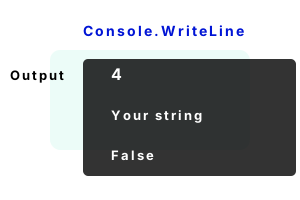
Console. Console programs communicate through text. Many features are available in C#: Console.WriteLine renders a line of text. Console.ReadLine gets user input.
For console output, we can use format strings and colors. A red warning message can be written. These features are helpful when developing with the "dotnet" command line program.
Part 3 Other types, like bool, can also be passed to Console.WriteLine. Even objects can be used.
using System;
// Part 1: write an int with Console.WriteLine.
int valueInt = 4;
Console.WriteLine(valueInt);
// Part 2: write a string with the method.
string valueString = "Your string";
Console.WriteLine(valueString);
// Part 3: write a bool with the method.
bool valueBool = false;
Console.WriteLine(valueBool);4
Your string
False
Empty line. It is possible to use Console.WriteLine with no arguments. This will simply output a blank line to the Console window. This is an elegant way to output an empty line.
using System;
class Program
{
static void Main()
{
Console.WriteLine("A");
Console.WriteLine(); // Empty line.
Console.WriteLine("B");
}
}A
B
Console, Concat. In some programs, we will want to write several values on a single line to the Console. We can form a string using the "+" operator before passing it to Console.WriteLine.
Warning This will create a string temporary for the concatenation, but overall this rarely impacts performance.
using System;
class Program
{
static void Main()
{
string name = "USER";
int id = 100;
// A string is created before WriteLine is called.
Console.WriteLine(name + ": " + id);
}
}USER: 100
Console, Write. We can combine the Console.Write method with the Console.WriteLine method. Both methods can be used on the same line. Write() does not append a newline to the end.
Info No string temporary is created to write the 3 parts, but 3 Console calls may be slower overall than a single string concatenation.
using System;
class Program
{
static void Main()
{
string name = "USER";
int id = 100;
// Write 3 parts to the same line.
Console.Write(name);
Console.Write(": ");
Console.WriteLine(id);
}
}USER: 100
String, formats. A format string is often clearest. Here the first parameter is a literal that has N substitution places. The next N parameters are inserted in those places.
Char arrays. This is an advanced feature of Console.WriteLine. It writes an entire char array to the screen. Char arrays are useful in optimization code and sometimes interop or DLL code.
Next This example first writes the 4 chars in the array to the screen. It writes the middle 2 chars.
using System;
class Program
{
static void Main()
{
char[] array = new char[] { 'a', 'b', 'c', 'd' };
// ... Write the entire char array on a line.
Console.WriteLine(array);
// ... Write the middle 2 characters on a line.
Console.WriteLine(array, 1, 2);
}
}abcd
bc
ToString. When we pass an object to the Console.WriteLine method, it invokes the ToString override method on the class (if one exists). Here we see this happen with a Test class.
using System;
class Test
{
public override string ToString()
{
// Printed by Console.WriteLine.
return "Test object string";
}
}
class Program
{
static void Main()
{
// Create class with ToString method.
Test test = new Test();
// WriteLine calls to the ToString method.
Console.WriteLine(test);
}
}Test object string
Using static System.Console. Suppose we want to avoid typing "Console" in our program to save time. We can add "using static System.Console" to the top.
And We then just call WriteLine() instead of Console.WriteLine. This is syntactic sugar—the program's instructions are the same.
using static System.Console;
class Program
{
static void Main()
{
// We can just write WriteLine instead of Console.WriteLine.// ... This saves exactly 8 characters.
WriteLine("Hello my friend!");
}
}Hello my friend!
Title. Here we use a loop and set the Console.Title property to whatever the user typed into the console. We can change the title of the console window by entering text.
Tip Console.Title allows us to change the console window title. We can use it to reduce the amount of text written to the screen.
using System;
class Program
{
static void Main()
{
while (true)
{
// Assign Console.Title property to string returned by ReadLine.
Console.Title = Console.ReadLine();
}
}
}
CapsLock. This program prints the value returned by Console.CapsLock every 1 second. Try pressing the caps lock key. It will start printing True when the key is pressed.
Tip If a program is requiring a password, we could print an error message if caps lock is pressed and the password is incorrect.
Tip 2 We could even add a separate "mode" in a program depending on whether caps lock is pressed.
using System;
using System.Threading;
class Program
{
static void Main()
{
while (true)
{
Thread.Sleep(1000);
bool capsLock = Console.CapsLock;
Console.WriteLine(capsLock);
}
}
}False
False
True
True
True
False
True
True
NumberLock. This program prints to the console every 1 second. As it executes, we can press Num Lock and the output of the program will change.
Tip We cannot set the value of the NumberLock property. If we do not want the key pressed, we must tell the user to press it again.
using System;
using System.Threading;
class Program
{
static void Main()
{
while (true)
{
Console.WriteLine(Console.NumberLock);
Thread.Sleep(1000);
}
}
}False
False
True
True
False
False
Height, width. With WindowWidth, we control the width of a window based on the number of text columns. Height changes the window size based on lines of text.
Tip With WindowHeight and its companion property LargestWindowHeight, we gain control over a window's height.
using System;
class Program
{
static void Main()
{
// ... Width is the number of columns of text.
Console.WindowWidth = 40;
// ... Height is the number of lines of text.
Console.WindowHeight = 10;
// ... Say hello.
Console.WriteLine("Hi");
}
}
Benchmark, console. In many simple console programs, the Console.WriteLine may be one of the biggest slowdowns. Here we time 100 lines written to the console.
Version 1 This version calls Console.WriteLine 100 times. Each line has a single char (not including a newline).
Version 2 This version uses StringBuilder.AppendLine to merge 100 lines into a single string, and then calls Console.WriteLine once.
Result It is about 10 times faster to only call Console.WriteLine once. Combining strings before writing them is faster.
Tip To run this benchmark, change the value of the "version" int from 0 to 1 (and back again).
using System;
using System.Diagnostics;
using System.Text;
class Program
{
static void Main()
{
int version = 1;
var t1 = Stopwatch.StartNew();
if (version == 1)
{
// Version 1: write 100 separate lines.
for (int i = 0; i < 100; i++)
{
Console.WriteLine("x");
}
}
else if (version == 2)
{
// Version 2: write 100 lines as a single string.
StringBuilder temp = new StringBuilder();
for (int i = 0; i < 100; i++)
{
temp.AppendLine("x");
}
Console.WriteLine(temp.ToString());
}
// Results.
Console.WriteLine("TIME FOR VERSION {0}: {1} ms", version, t1.ElapsedMilliseconds);
}
}TIME FOR VERSION 1: 35 ms
TIME FOR VERSION 2: 3 ms
SetOut. With this method, we can use another type like a StreamWriter to write data to a console window. This can "glue" parts of a program together.
Read. Here we read in user input from the terminal window. When the user types in characters, we can read that instantly with ReadKey or when the Enter key is pressed, using ReadLine.
GetCommandLineArgs. This method is part of the Environment type. With it we can fetch the command-line arguments where ever we are in the program logic.
Console benchmarks. Here is a console program I use all the time. It is a benchmark program. So if you want to see if method 1 is 0.001% faster than method 2, this is a place to start.
A review. Console.WriteLine is a useful method. At first, it may seem less interesting than others. But then we realize how many programs in C# can be written with just console output.
Dot Net Perls is a collection of tested code examples. Pages are continually updated to stay current, with code correctness a top priority.
Sam Allen is passionate about computer languages. In the past, his work has been recommended by Apple and Microsoft and he has studied computers at a selective university in the United States.
This page was last updated on Apr 26, 2023 (edit).