C# Case-Insensitive Dictionary

Dictionary illustration

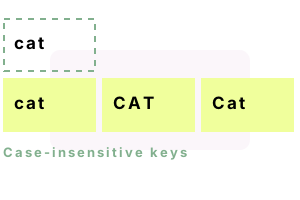
A case-insensitive Dictionary is ideal in some programs. It helps with comparing file names in Windows, which ignore case. Sometimes user names also are case-insensitive. We see an implementation of a case-insensitive string Dictionary. It uses standard .NET Framework objects.

Tip: Case-insensitive means "Python" and "PYTHON" are equal.

Example

To start, the Dictionary class in the .NET Framework has several overloaded constructors, and the most important ones for this solution accept a parameter of type IEqualityComparer<string>. This object implements an interface and is used by Dictionary to acquire hash codes and compare keys.

This C# program uses a case-insensitive Dictionary. It uses StringComparer.OrdinalIgnoreCase.

Program that uses case-insensitive Dictionary [C#]

using System;
using System.Collections.Generic;

class Program
{
    static void Main()
    {
	// Create case insensitive string Dictionary.
	var caseInsensitiveDictionary = new Dictionary<string, int>(
	    StringComparer.OrdinalIgnoreCase);
	caseInsensitiveDictionary.Add("Cat", 2);
	caseInsensitiveDictionary.Add("Python", 4);
	caseInsensitiveDictionary.Add("DOG", 6);

	// Write value of "cat".
	Console.WriteLine(caseInsensitiveDictionary["CAT"]); // 2

	// Write value of "PYTHON".
	Console.WriteLine(caseInsensitiveDictionary["PYTHON"]); // 4

	// See if "dog" exists.
	if (caseInsensitiveDictionary.ContainsKey("dog"))
	{
	    Console.WriteLine("Contains dog."); // <-- Displayed
	}

	// Enumerate all KeyValuePairs.
	foreach (var pair in caseInsensitiveDictionary)
	{
	    Console.WriteLine(pair.ToString());
	}
    }
}

Output

2
4
Contains dog.
[Cat, 2]
[Python, 4]
[DOG, 6]
Note (please read)

Description. This example demonstrates how you can construct a case-insensitive Dictionary. The instance called caseInsensitiveDictionary uses the Dictionary constructor that accepts an IEqualityComparer. The comparer specified is StringComparer.OrdinalIgnoreCase.

Notes on the comparer. The StringComparer.OrdinalIgnoreCase comparer is an object that implements (at minimum) two methods, Equals and GetHashCode. These two methods are used internally by the Dictionary to compute hash keys and compare buckets. The word "ordinal" means that the characters are treated by their numeric values.

Using the Dictionary. You can add keys with either case using the Add method. The keys retain their original case internally in the Dictionary buckets. When you enumerate the KeyValuePairs, the original cases are retained.

Exceptions. When you try to add the strings "Cat" and "CAT", you will get an exception. The Dictionary considers the two strings to be equivalent.

Using ContainsKey and indexers. The ContainsKey method, along with TryGetValue, will accept keys of either case. For example, "PYTHON" will return the same value as "Python".

ToLower

Another approach you can use to normalize string data in your Dictionary is always calling ToLower on the keys and before looking up keys. This is sometimes better if you do not want to preserve the mixed cases. However, it introduces an inefficiency because keys must be copied in ToLower.

Excellent for file names

Programming tip

In Windows, file names are case-insensitive. However, when users copy files, they expects them to retain their original case. This Dictionary is ideal for this sort of operation, as your Dictionary will mimic the behavior of Windows NTFS filesystems.

IEqualityComparer

There is another article about using IEqualityComparer on Dictionary as an optimization. You are also able to use IEqualityComparer to disregard punctuation, or other patterns in your string keys.

IEqualityComparer Dictionary

Summary

The C# programming language

We saw how you can implement a case-insensitive string Dictionary in the C# language. You do not need to write your own IEqualityComparer, although if your requirements are slightly unusual you can do so. We utilized the Dictionary overloaded constructor and the StringComparer.OrdinalIgnoreCase implementation.

Collections
.NET