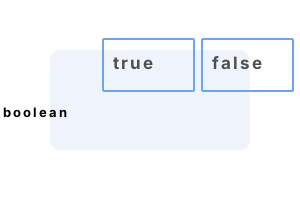
First program. A bool can be assigned to the true and false literals. We set the bool variable to true. And then we invert the value of the bool using the exclamation operator.
using System;
bool val = true;
if (val)
{
Console.WriteLine(val == true);
}
val = !val;
if (!val)
{
Console.WriteLine(val == false);
}True
True
Bool variable. This program declares a bool variable. It manipulates its values through expressions. The size of the bool type is one byte. It is aliased to the System.Boolean type.
Part 1 We set the bool to true. Then we set the variable value equal to its opposite value.
Part 2 If-statements can test a bool. In an if-statement, the expression is evaluated in a Boolean context.
Part 3 We can store the result of an expression evaluation as a local variable. This technique can simplify complex logic tests.
Part 4 We print some details of the bool type, including its size in bytes and its Type representation.
using System;
// Part 1: set values to bool.
bool value = true;
Console.WriteLine(value);
value = !value;
Console.WriteLine(value);
value = false;
Console.WriteLine(value);
// Part 2: use if-statements with bool.
if (value)
{
Console.WriteLine("Not reached");
}
if (!value)
{
Console.WriteLine("Reached");
}
// Part 3: use a bool local to store an expression result.
bool test = !value && 1 == int.Parse("1");
Console.WriteLine(test);
// Part 4: print bool details.
Console.WriteLine(sizeof(bool));
Console.WriteLine(true.GetType());True
False
False
Reached
True
1
System.Boolean
Ints, bools. How can you convert an int in your C# program to a bool value? This can be done with the Convert.ToBoolean method in the System namespace. A custom method could also be used.
Here This program uses the Convert type to convert ints into bools. The Convert.ToBoolean method is perfect for this purpose.
Info This method considers 0 to be false. All other values, positive and negative, are true.
using System;
Console.WriteLine(Convert.ToBoolean(5));
Console.WriteLine(Convert.ToBoolean(0));
Console.WriteLine(Convert.ToBoolean(-1));True
False
True
Null bool. A bool cannot be null—its default value is false. But we can use a nullable bool, which is a struct that wraps a bool value, and set it to null.
Note The null value of a nullable bool can be used to mean uninitialized. So we can have a 3-state bool here.
using System;
// A null bool can mean an uninitialized boolean value.
bool? valid = null;
Console.WriteLine("Initialized: {0}", valid.HasValue);
// We can then set the nullable bool to true or false.
valid = true;
Console.WriteLine("Valid: {0}", valid.Value);Initialized: False
Valid: True
Bools can be used in a variety of places to represent truth values. They are used throughout programs—even if you do not notice them.
Nearly every C# program uses bools. All if-statements requires a boolean expression. We explored bools, established their representation size in bytes, and tested conversions.
Dot Net Perls is a collection of tested code examples. Pages are continually updated to stay current, with code correctness a top priority.
Sam Allen is passionate about computer languages. In the past, his work has been recommended by Apple and Microsoft and he has studied computers at a selective university in the United States.
This page was last updated on May 3, 2023 (simplify).